Tool presentations
Make tool requests easier to read with clear titles and formatted arguments.
Tool presentations make requests easier to understand. They give tool calls readable titles and show their arguments as emails, commands, diffs and other useful formats.
Presentations change how a request looks, not the action or its approval rules. Reviewers can still inspect every argument and the original JSON in the Review queue.
Built-in and custom presentations
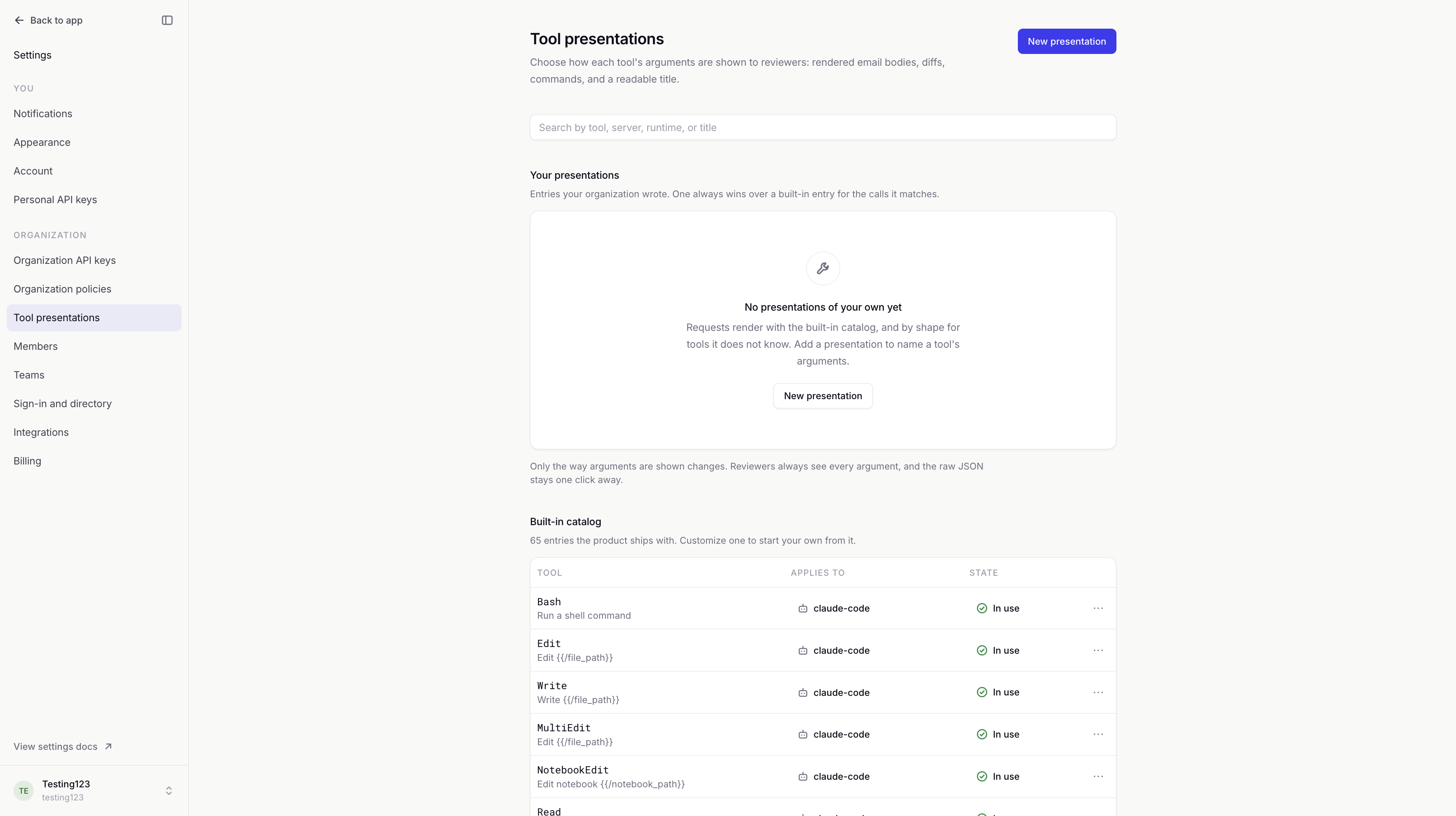
The Built-in catalog includes presentations for common tools. Tools without a matching presentation are formatted automatically from their arguments.
Your presentations are custom entries shared across your organization. You can create one from scratch or use Customize to start from a built-in entry. A matching custom presentation takes priority over the built-in catalog.
Matching tools
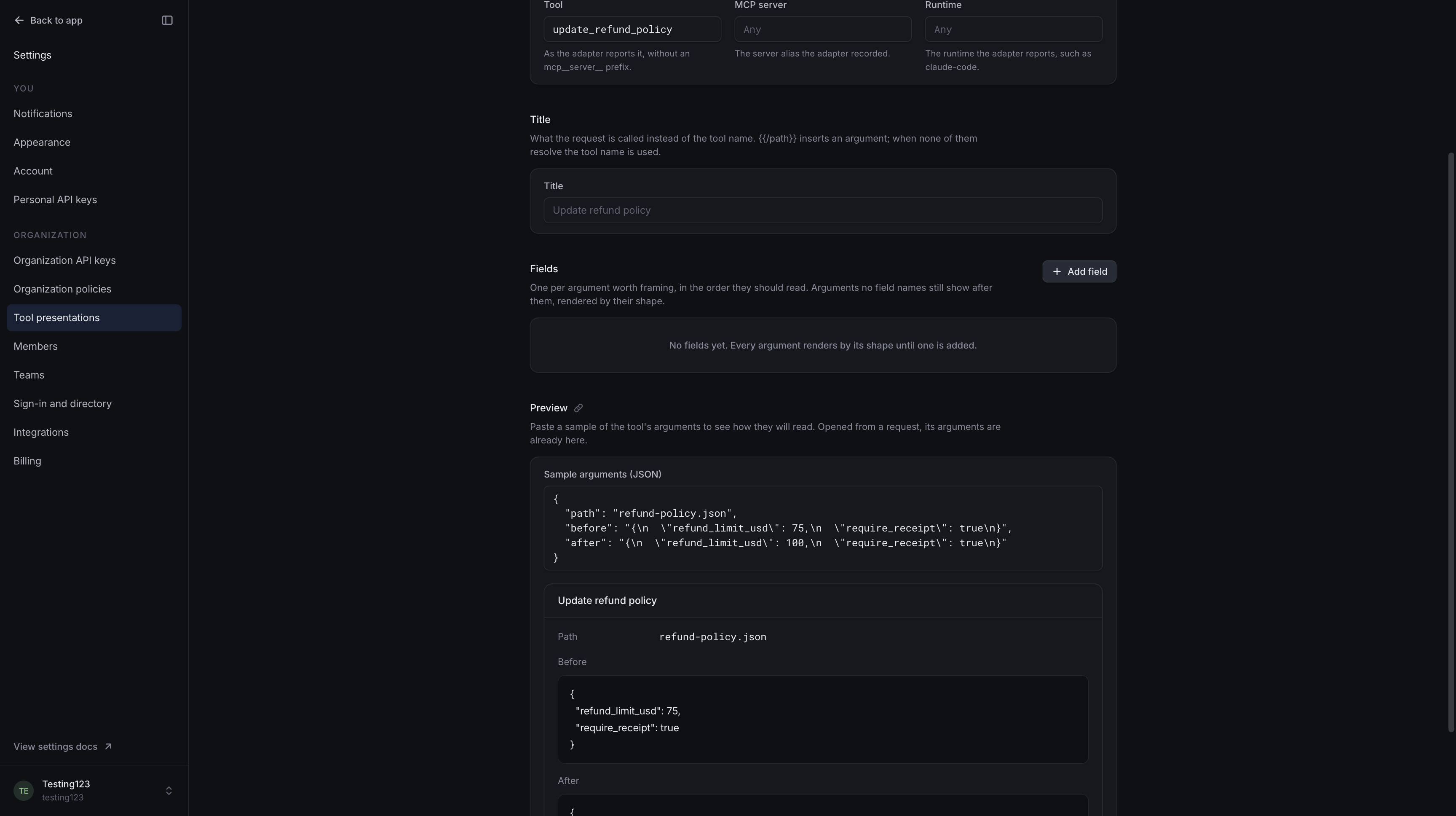
Applies to determines which calls use a presentation:
- Tool matches the exact tool name, without an
mcp__server__prefix. - MCP server limits it to a particular server.
- Runtime limits it to a particular agent runtime, such as
claude-code.
Leaving the server or runtime empty means any server or runtime can match. Use the names recorded on the request.
When several custom entries match, the most specific wins: server and runtime together, then server, then runtime, then tool name alone.
Titles and fields
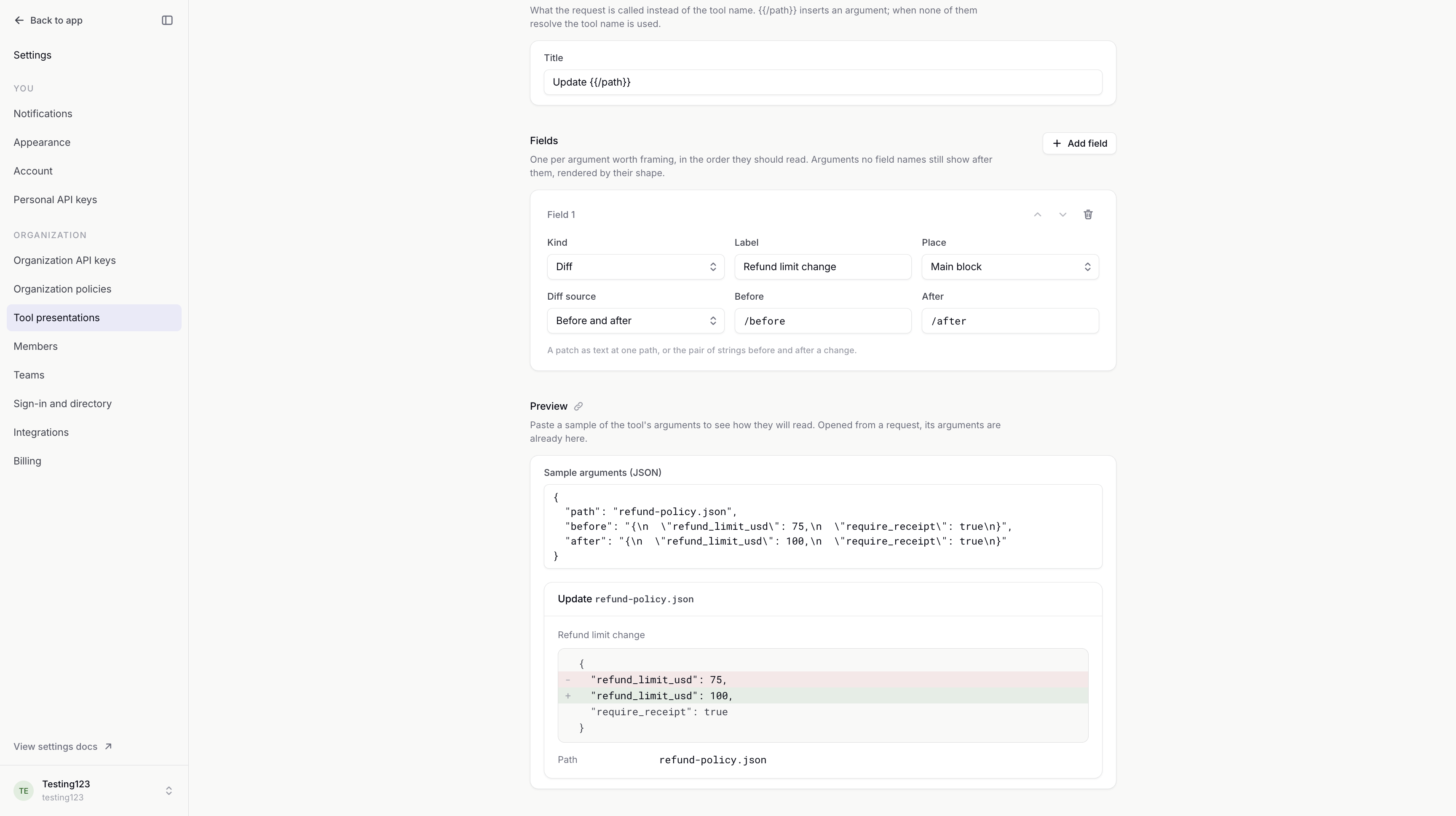
Title gives the request a readable name. It can include argument values: Update {{/path}} becomes Update refund-policy.json when the path argument contains that filename.
Fields choose how individual arguments appear. A Path such as /body or /customer/email identifies the value. Label gives it a readable name, and field order controls the reading order.
| Kind | Useful for |
|---|---|
| Text, Prose | Short values and longer passages. |
| Markdown, HTML | Formatted text and email bodies. |
| Code, Shell command | Source code and commands. |
| Diff | A patch, or a comparison of before and after text. |
| List, JSON | Lists and structured data. |
| File path, URL, Email address, Identifier | File names, addresses and references. |
| Enum, Date and time | Status values and timestamps. |
Main block keeps a field prominent. Details, folded puts it in an expandable section. Arguments you do not configure still appear. HTML previews do not run scripts or load external content.
Preview
Preview shows how sample arguments will read with the current title and fields. It does not run the tool or create an approval request. Opening the editor from a request fills in that request's arguments for the sample.
Example: Refund policy change
Our update_refund_policy tool proposes raising a refund limit from $75 to $100. Without a custom presentation, the old and new text appear separately.
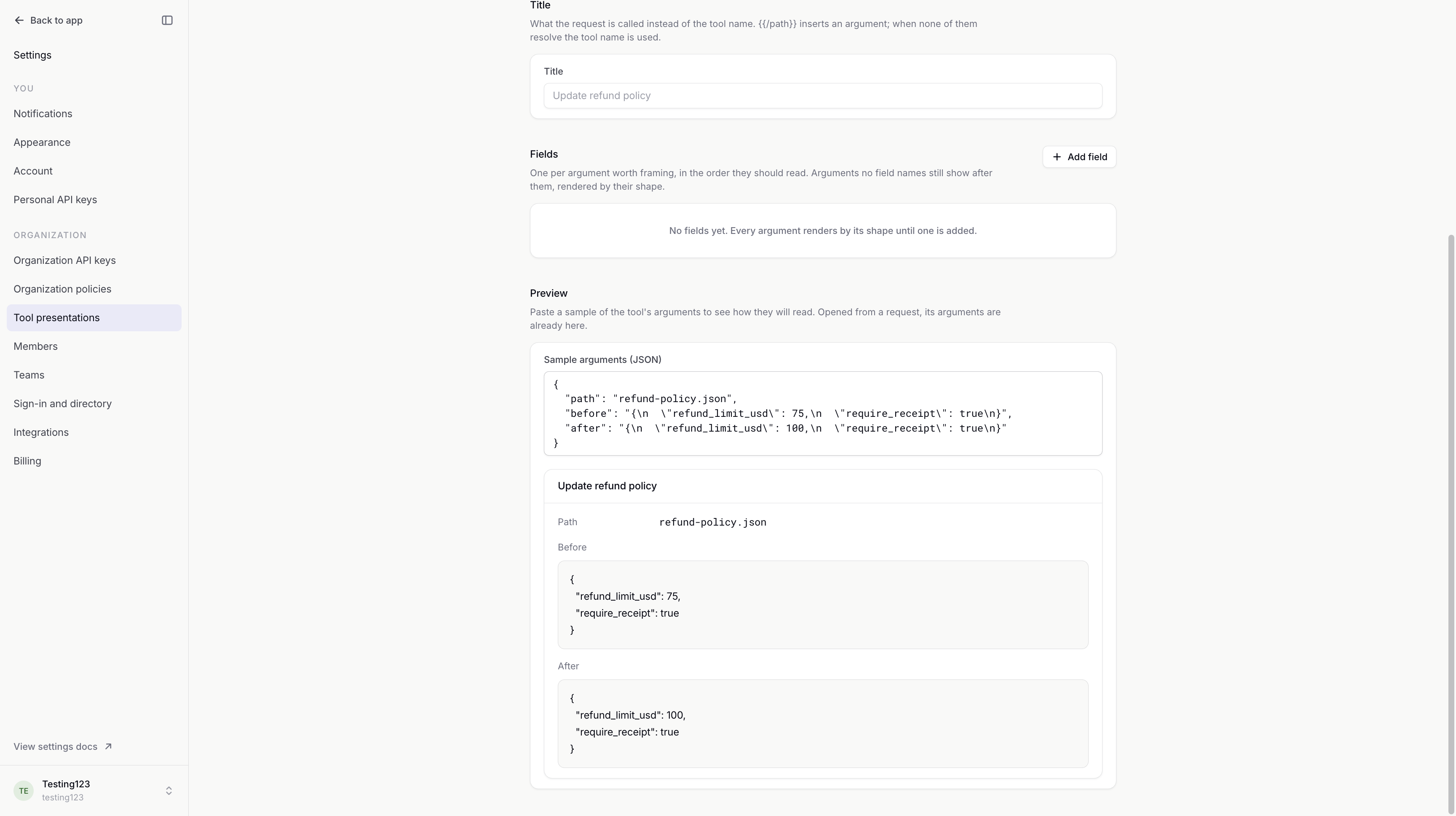
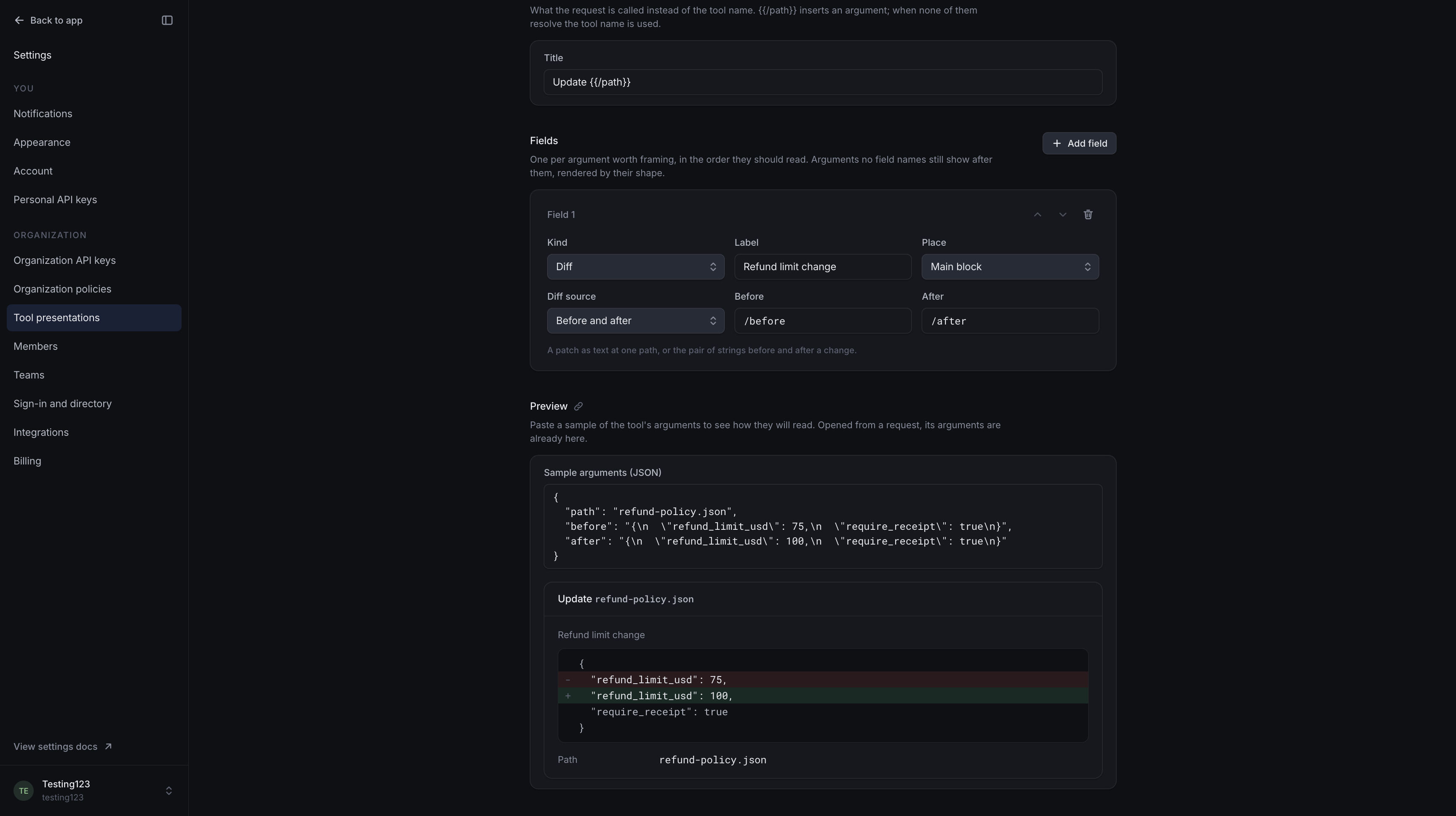
We'll use Diff with Before set to /before and After set to /after. The title Update {{/path}} names the file. Reviewers can now see the changed limit at a glance.
Saving and removal
Saved changes apply when matching requests are loaded, including older requests. There is no separate activation step.
Removing a custom presentation deletes that entry. Requests use another matching presentation, the built-in catalog or automatic formatting.
Viewing presentations requires access to organization settings; changing them requires permission to edit those settings. Audit log records creation, changes and removal.