Best human-in-the-loop tools for AI agents (2026)
Compare human-in-the-loop approval tools for AI agent actions, from dedicated approval layers to agent frameworks and workflow software.
Your customer support AI agent wants to refund a customer $250. Should it go ahead, or should someone on your team approve it first? And if someone should approve the refund request, then who?
That is the job of a human-in-the-loop tool: the agent pauses before the action, and a person approves or rejects it. These tools work at different layers. Agent frameworks give you the pause and leave the rest to you. Workflow platforms build approval into the workflows you make with them. Approval layers sit between your agents and their tools, with one set of rules and reviewers for every agent, whatever it's built with.
This guide compares four of them for 2026. We built withHuman, so we have a point of view, and we've tried to be clear about where each tool fits.
The short version
| Tool | Type | Best fit | What you build yourself |
|---|---|---|---|
| withHuman | Approval layer | Coding agents and other agents that need one set of approval rules | - |
| LangChain and LangGraph | Agent framework | Agents built with LangChain | Review interface, routing and persistence |
| OpenAI Agents SDK | Agent framework | Agents built on the SDK | Review interface, routing and state storage |
| n8n | Workflow platform | Agents built as n8n workflows | The workflow, plus coverage for agents outside n8n |
Three kinds of tools
These tools work at different layers, so they aren't all substitutes for one another.
- Agent frameworks (LangChain and LangGraph, OpenAI Agents SDK) pause a run before a tool call and resume it later. You build the review interface, the rules and the routing.
- Workflow platforms (n8n) make approval a step in a workflow you build on that platform. Reviewers and notifications are built in. Agents outside the platform need integration work.
- Approval layers (withHuman) are a separate service your agents connect to. You set rules and reviewers once, and they apply to every agent, whatever it's built with. Every decision is recorded there too.
The layers can stack. A LangGraph agent can send its tool calls to withHuman, so LangGraph handles the pause and withHuman decides who approves. Or you might already have an n8n workflow and find that its built-in review is enough.
What to look for in an AI agent approval tool
The first question is where approval happens. If you want to stop a refund before it goes out, the control needs to sit before the tool executes.
- Enforcement: Is approval enforced, or does the agent just follow instructions? Writing "ask before production writes" in a CLAUDE.md file relies on the agent remembering to ask, and sometimes it won't. A tool that intercepts the agent's tool calls catches every production write and holds it until a person approves.
- Rules: Can you write rules based on the MCP server name, tool name or tool arguments? For example, can you approve small refunds automatically and send larger ones for human review based on the refund amount?
- Reviewers: Can the right person see what the agent wants to do, and what happens if nobody responds?
- Notifications: Can you notify reviewers through the channels they use, such as mobile apps, email, Slack, text messages, WhatsApp or Discord?
- Audit records: Can you find the request and decision later, with enough context to understand them?
Here's how the tools compare.
 withHuman
Approval layer: one set of rules for every agent
withHuman is an approval layer between AI agents and the tools they use. It works across agents and frameworks.
Connect coding agents such as Claude Code, Codex, OpenClaw, Pi, Hermes and DeepSeek Harness through the withhuman CLI. For agents built in code with LangGraph, CrewAI or the OpenAI Agents SDK, use an SDK integration. Connect MCP tools through the MCP Gateway. Each integration holds the tool call while it requests a decision over the Agent Approval Protocol, an open standard.
Your support agent, production agent, sales agent and Susan's coding agent can all follow the same approval pipeline. Its rules can approve a $10 refund automatically, deny anything over $500 and send the rest for human approval. Each team can own its own rules. Every change is a revision you can test and roll back.
Each rule that asks for human approval can use a different escalation path to notify the right team. Refunds can go to payments, while production changes go to engineering. If the payments team doesn't answer in 10 minutes, the escalation path can notify the finance lead too. Reviewers decide in the web app or the iPhone and Android apps.
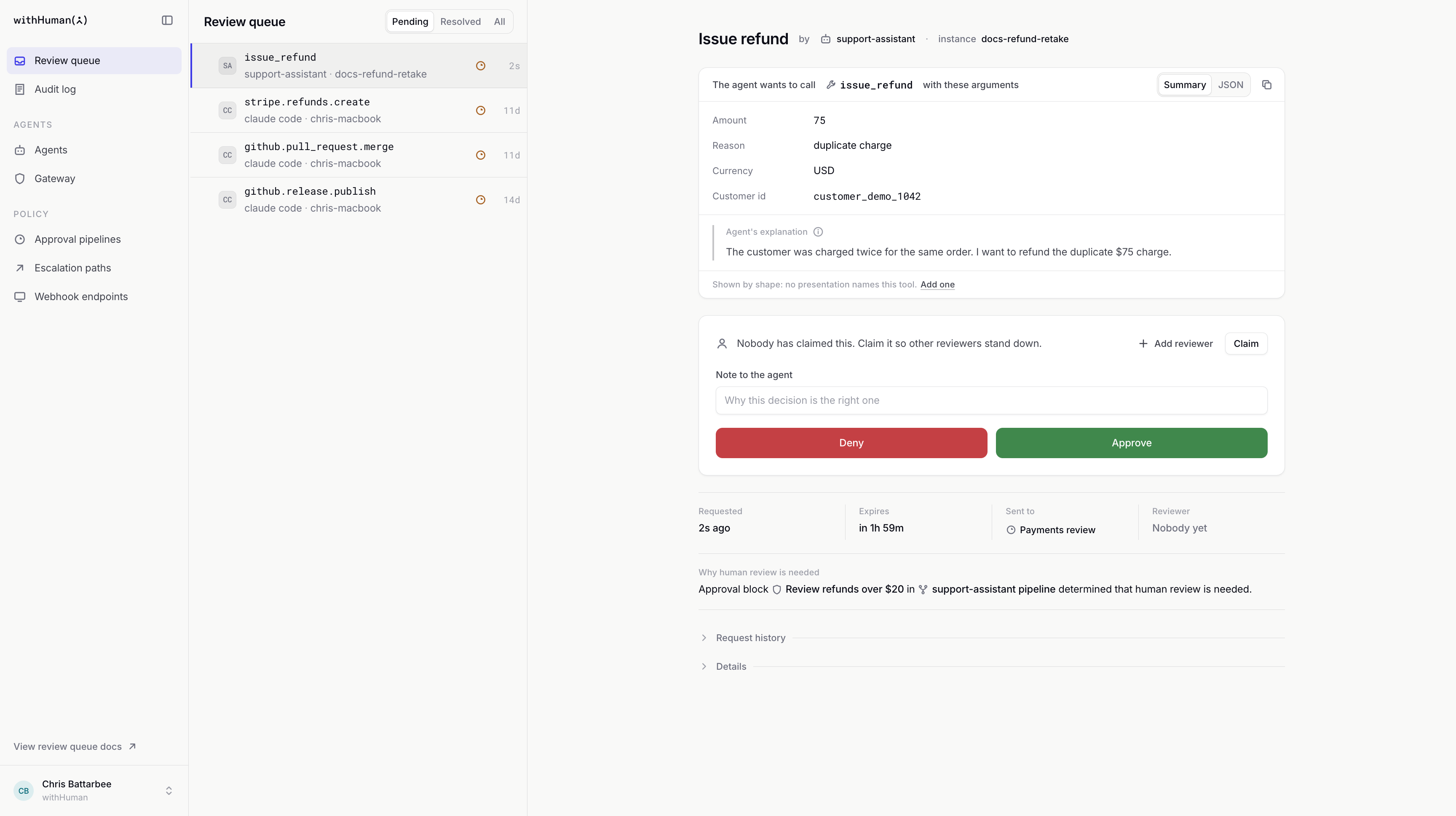
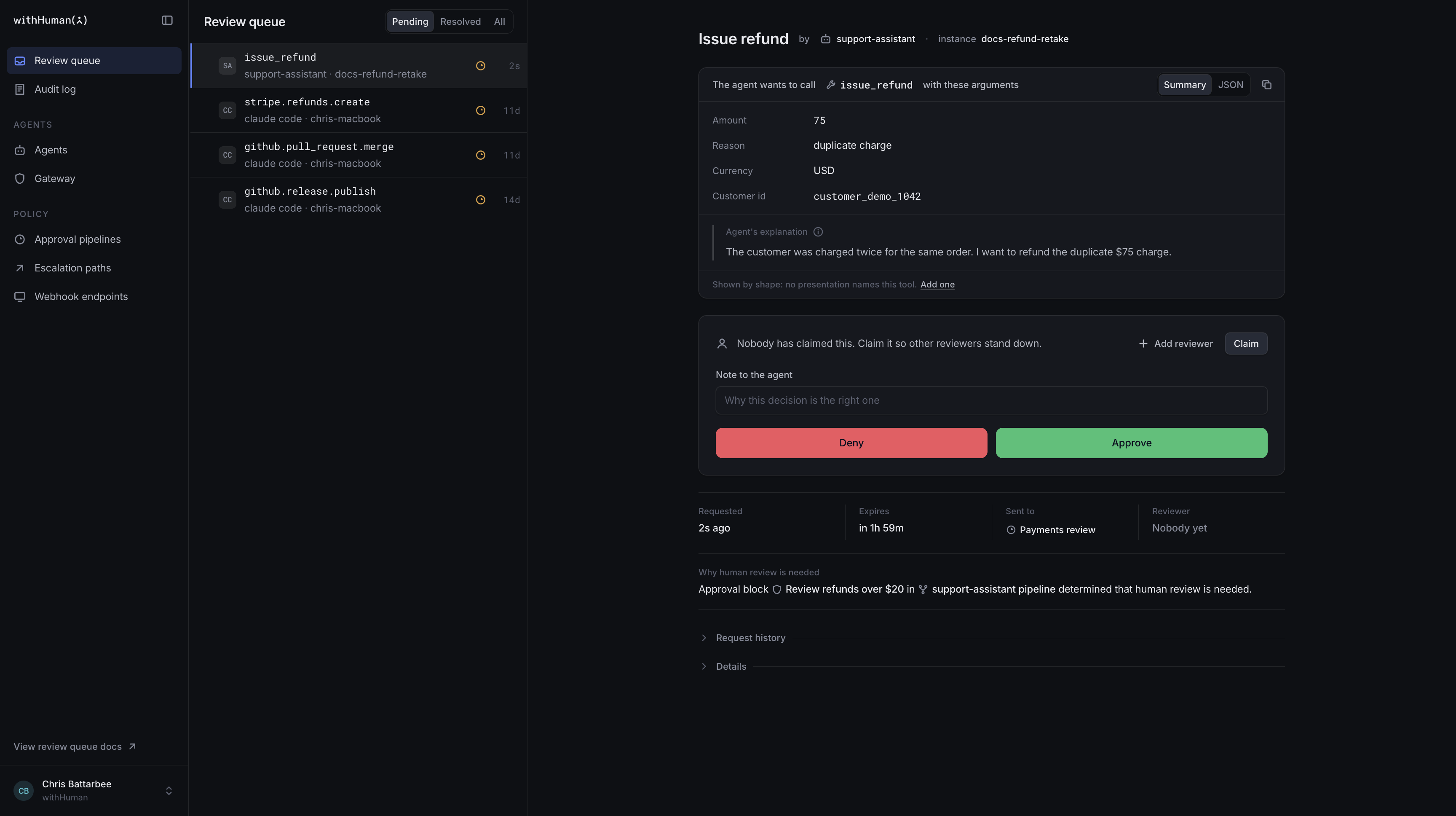
You can connect every agent that can take the action. For tighter security, keep service credentials in the MCP Gateway so agents can't call the service directly. withHuman is available hosted, or you can host it yourself.
Choose withHuman if: you run more than one agent, or more than one team needs a say in what agents can do.
 LangChain and LangGraph
Agent framework: approval inside your agent
If you're already building with LangChain, its human-in-the-loop middleware can pause selected tool calls for review. You list the tools in interrupt_on, and a when predicate can check a call's arguments. A reviewer can approve, edit or reject the call. LangGraph saves the paused run with a checkpointer, so you'll need a persistent one in production.
Here, refunds over $20 pause for review, and your code resumes the run with the reviewer's decision:
from langchain.agents import create_agent
from langchain.agents.middleware import HumanInTheLoopMiddleware, ToolCallRequest
from langgraph.types import Command

def over_20_dollars(request: ToolCallRequest) -> bool:
    return request.tool_call["args"].get("amount", 0) > 20

agent = create_agent(
    model="gpt-5.5",
    tools=[issue_refund],
    middleware=[
        HumanInTheLoopMiddleware(
            interrupt_on={
                "issue_refund": {
                    "allowed_decisions": ["approve", "edit", "reject"],
                    "when": over_20_dollars,
                },
            },
        ),
    ],
    checkpointer=checkpointer,  # a persistent checkpointer, such as Postgres
)

# Later, once your review interface has a decision:
agent.invoke(
    Command(resume={"decisions": [{"type": "approve"}]}),
    config={"configurable": {"thread_id": "ticket-1042"}},
    version="v2",
)
This is a good fit if your agent already lives in that stack and you want control over the review flow. It's also code you need to own. You'll need somewhere to present the request, get a decision and resume the run, as well as a plan for managing rules across any agents outside that stack.
Choose LangChain and LangGraph if: you're building in that ecosystem and want to add review directly to your agent application.
 OpenAI Agents SDK
Agent framework: tool approval in an SDK run
The OpenAI Agents SDK can mark tool calls as needing approval with needsApproval, which can be a function that checks the arguments. When one is proposed, the run pauses and returns an interruption with a resumable RunState. Your application stores that state, collects a decision, and resumes the run.
The same refund rule in TypeScript:
import { Agent, run, tool } from "@openai/agents";
import { z } from "zod";

const issueRefund = tool({
  name: "issue_refund",
  description: "Refund a customer's order.",
  parameters: z.object({ orderId: z.string(), amount: z.number() }),
  needsApproval: async (_context, { amount }) => amount > 20,
  execute: async ({ orderId, amount }) => refunds.create(orderId, amount),
});

const agent = new Agent({ name: "Support assistant", tools: [issueRefund] });

let result = await run(agent, "Refund the duplicate charge on order 1042.");
while (result.interruptions?.length) {
  for (const interruption of result.interruptions) {
    result.state.approve(interruption); // or reject, based on your reviewer
  }
  result = await run(agent, result.state);
}
For a team already using the SDK, that's a straightforward place to start. You can keep the approval logic close to the agent and decide how the user sees it.
The other side of that flexibility is that your application is responsible for the approval experience and for handling the paused state. If you have several agent runtimes and want one set of organization-wide rules, you'll need to connect them to a shared process yourself or use an additional layer.
Choose the OpenAI Agents SDK if: your agent already runs in the SDK and you want to build approval into your application.
 n8n
n8n
Workflow platform: human review in a visual workflow
n8n's human review for AI tool calls lets you put a review step on selected tools in an AI Agent node. The workflow pauses while a person approves or denies the call in a channel such as n8n Chat, Slack or Microsoft Teams. It's an appealing option if your team already builds automations in n8n and wants to see the approval alongside the rest of the workflow.
The thing to check is where your agents live. A review step in one n8n workflow doesn't automatically cover a coding agent on a developer's laptop or another application calling the same service. You'll need to design those paths too if they matter to you.
Choose n8n if: your agent and the actions you want to review are already part of an n8n workflow.
Technical comparison
The tables follow the checklist above. "You build it" means the tool gives you a hook, and the rest is your code.
Enforcement
| withHuman | LangChain and LangGraph | OpenAI Agents SDK | n8n | |
|---|---|---|---|---|
| Type | Approval layer | Agent framework | Agent framework | Workflow platform |
| Where the call waits | Adapter, SDK or gateway | Middleware in your agent | Your SDK run | Your n8n workflow |
| Agents covered | Coding agents, MCP servers, agent frameworks | LangChain agents | Agents SDK agents | n8n AI Agent nodes |
| Credentials kept from the agent | MCP Gateway | You build it | You build it | n8n credential store |
| Wait survives a restart | ✓ Stored server-side | With a persistent checkpointer | You store RunState | Not documented |
| Pending requests expire | ✓ Per-request time limit | ✗ Waits until resumed | You build it | Optional wait limit |
Rules
| withHuman | LangChain and LangGraph | OpenAI Agents SDK | n8n | |
|---|---|---|---|---|
| Select by tool | ✓ | ✓ interrupt_on | ✓ needsApproval | ✓ Connected tools |
| Select by arguments | ✓ Conditions | ✓ when predicate | ✓ needsApproval function | Not documented |
| Decide without a human | Approve or deny | Approve only | Approve only | Not documented |
| AI policy check | AI Judge | You build it | You build it | You build it |
| Where rules live | Web editor, API or MCP server | Code | Code | Visual workflow |
| Versions and rollback | ✓ Revisions | Your Git history | Your Git history | Workflow history, by plan |
Reviewers
| withHuman | LangChain and LangGraph | OpenAI Agents SDK | n8n | |
|---|---|---|---|---|
| Review interface | Web queue, iPhone and Android apps | You build it | You build it | Channel messages |
| Notifications | Email, SMS, WhatsApp, Slack, Discord, mobile app push | You build it | You build it | Slack, Teams, email, Discord, Telegram, WhatsApp |
| Reviewer actions | Approve or deny, with a note | Approve, edit or reject | Approve or reject, with a message | Approve or deny |
| Route to people and teams | ✓ | You build it | You build it | One recipient per channel |
| Escalate when nobody answers | ✓ Timed steps, working hours | You build it | You build it | Not documented |
Which should you pick?
Start with the agent you need to control today. If it lives in LangChain, the OpenAI Agents SDK or n8n, try the approval mechanism in that environment first.
If you run several agents, or several teams need a say, an approval layer saves you building the same review flow for each one. That's what withHuman is for. You can try the quickstart with a coding agent and see whether it fits your workflow.